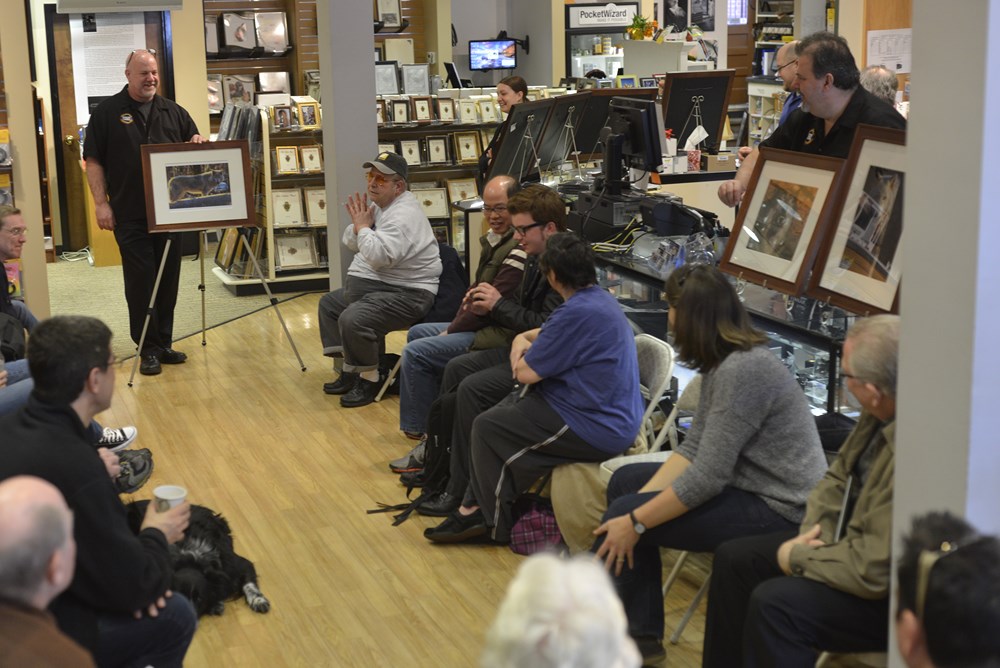
Focus sessions are free and take place in the Westwood store from 9:30 am – 10 am. All sessions will allow for questions and answers. Please bring your camera and any images along that you have questions about. Feel free to use the comment option to make suggestions for future focus sessions.
Hit the “Like Button” to let your friends know. Have suggestions for future focus sessions? Feel free to leave a comment. (Comments actually work now!)
Here’s our upcoming Focus Sessions:
January 4 – Manual Settings
January 11 – Macro Photography
January 18 – Shooting Indoor Basketball
January 25 – Consumer Electronics Show Roundup
February 1 – Depth of Field
February 8 – Metering / Focus Marks – Which to Use
February 15 – Photoshop vs. Lightroom
February 22 – Mat Your Photos
These are free events – bring a friend along if you’d like. Share with your friends on Facebook – Click the Like button below. Hope you can join us!
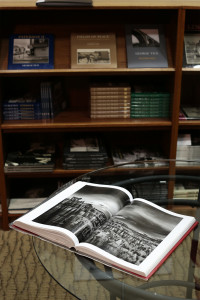
Most photo books are only printed in small quantities, often less than 5000 and some as few as 1000 copies. Some individual artist made books are made one at a time. Most well printed photo books accrues additional collectible status when it is a first edition and or signed by the artist. All the major auction houses like Swann, Christies and Sotheby’s run regular auctions dedicated to photo books. Truly affordable works of art when first released, individual books can rise quickly and dramatically in value as the small quantity sell out.
They make the perfect gift for those difficult to buy for. Pick a subject, person, or time in history and chances are we have a beautiful photo book that’s topical and strikes a resplendent chord for an individual. Since we are music fanatics here, you could guess that we represent some of the finest photographers in the world of music. We have a great selection of their books, many of which have been signed.
Photography collecting is widely misunderstood to be very limited to only those whose bank accounts stretch to seven or more figures. Many people that I speak to about fine art photography collecting believe that they must make a bold move like purchasing a museum grade Ansel Adams photograph to enter the field and nothing could be further from the truth. I believe that photography collecting is very democratic and can start with nothing more then a deep love for the medium. It is a very natural extension that’s easily accessible to all who enjoy any aspect of picture making themselves.
The photography field has so many niches that photo books offer an almost universal appeal. Stop in at Bergen County Camera or Gallery 270 to check out our large selection of photo books.
There is a misconception about digital photography that the more megapixels, the better the image quality. Most people don’t realize that image quality has to do with both the amount of pixels and the size of the image sensor.
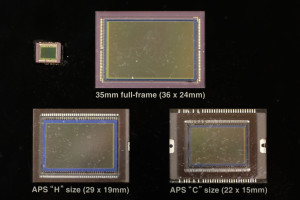
Sensors from different types of cameras. Top left – Typical Point and Shoot Sensor Top Center – Full Frame Sensor Bottom Left – APS-H Sensor Bottom Right – APS-C Sensor
The image sensor in a camera is the digital equivalent of film. Light comes through the lens and hits the image sensor, where millions of pixel wells capture what color of light is entering that location. The larger the sensor size, the larger the pixel wells, the more accurate the information. The higher the megapixel, the more pixel wells, resulting in higher image resolution. Do not confuse image resolution with image quality. The size of the image sensor affects the amount of noise, the depth of focus, and the overall sharpness of the image.
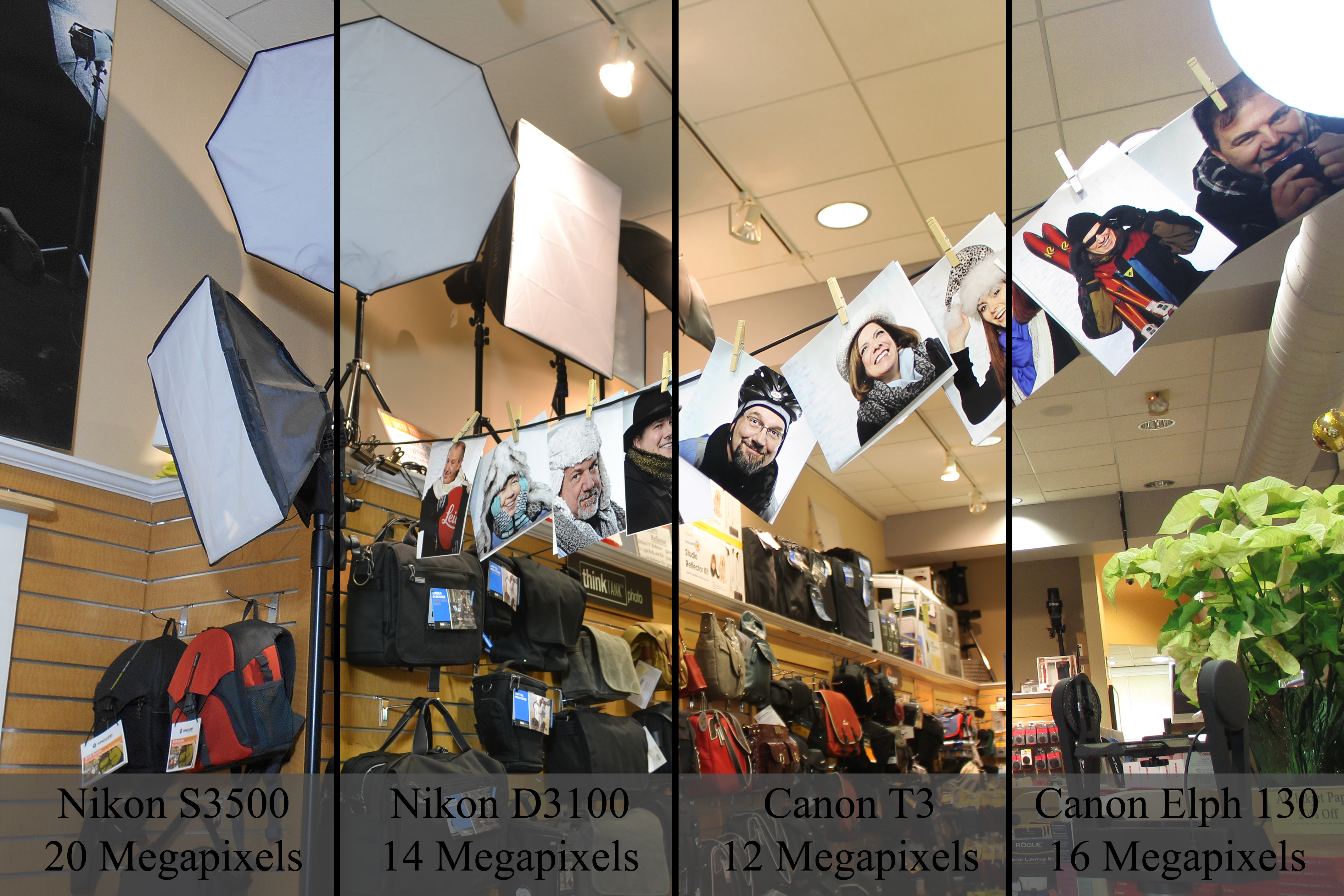
In the photos, we see four different sensor sizes. There are currently around ten different image sensor sizes. We also see the difference in image performance based upon sensor sizes. This comparison shows two high megapixel point and shoot cameras and two lower megapixel SLR cameras. All the photos were shot with near identical camera settings at ISO 100. The images using SLR cameras were shot with their normal kit lens, the 18-55mm f/3.5-5.6. Immediately you can see a difference in clarity, noise, and color.
Comparing High Megapixel Point and Shoot Cameras (Nikon S3500 and Canon Elph 140) with Lower Megapixel SLR Cameras (Nikon D3100 and Canon T3)
So why should you buy a camera with a smaller sensor?
Well, the smaller the sensor, the smaller the camera. It’s definitely convenient to own a camera which fits in your pocket. Plus cameras with smaller sensors can have much greater zoom lengths in an easy, portable size. Current Point and Shoot cameras are still performing better then current cellphones due to the size of their sensors. Point and Shoot Cameras have sensors varying between 1/2.3-inch and Apple iPhone 5s has a sensor which is 1/3-inch. Plus, Point and Shoot cameras have real zoom lenses. Cell phones use digital zoom, which degrades your image quality.
Realize that the larger the camera you carry, the better the image quality. If you are someone looking for quality, look into SLR cameras. Looking for help finding which camera is right for you? Check this post here.
The weather outside is frightful, but the pictures can still be delightful. Online tips not your favorite way of learning? Stop in Saturday, December 21st for our Focus Sesson, “Winter Photography”.
We’ve compiled several previous blog posts filled with tips and tricks to get the best out of your camera this winter.
Shooting in the winter (especially when snowing, sleeting or below freezing) can certainly be a challenge.
Here are a few pointers to make your winter shooting that much easier.
Batteries – The number of frames you can take can drop dramatically the colder it gets especially below 30. When you plan on shooting outside for an extended period of time keep one or two spare batteries in a coat or pants pocket that is warm and close to the body. As soon as your low battery indicator flashes stop shooting and rotate a warm battery into the camera.
Rain, Sleet and Snow – Always keep an inexpensive plastic bag in the bottom of your camera bag. If you get caught out in precipitation simply put your entire camera bag inside and make your way back. If you need to shoot in rain, sleet, or snow you can always purchase an Aquapac or any protective rain-sleeve to protect your camera and lens from damage.
Polarizing Filters – Great for reducing glare especially off of snow and glass. Colors always look better when glare is reduced. Don’t stack your filters and remember to remove your polarizer when it gets darker or you move inside. Always remember – a polarizer can cut the amount of light entering the lens in half ( 1 f-stop).
Hand Warmers – this years addition to the list comes from outdoor sports enthusiasts. Available at most sporting goods stores and for about $2 can keep your hands warm for 4 – 6 hours. Special versions are available to keep your toes warm as well.
Why are my snow pictures dull grey?
Here’s the first in some winter picture taking tips that we are putting together. A common complaint we hear when people bring their winter pictures in is – “my pictures look dull,” “the snow looks grey, not white.” Read on for the short and the long answer.
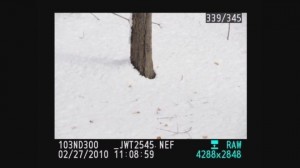
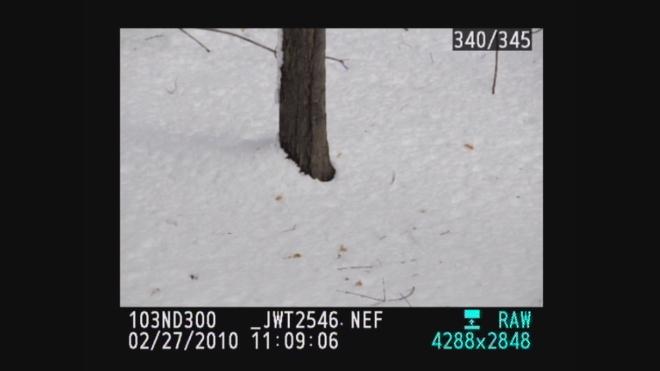
The picture you see is the one above with white snow . . .
The picture your camera captures has grey snow as shown below.
So the question is – How do I get white snow?
The short answer is you need to overexpose by using the Exposure Compensation +/- feature on your camera. Using the exposure compensation automatically makes this adjustment so your camera still can remain fully automatic. In the case of a Nikon you would press the +/- button while rotating the control wheel until +1.0 shows in the display. Your owners manual will explain this in detail or feel free to stop by the store to learn how to make the settings on your camera. Be sure to take some test shots so you get the hang of how this works. If less of your image is taken up with the snow you can try the + 0.7 or + 0.3 setting to reduce the brightening effect.
After taking your snow photos just remember to turn the exposure compensation +/- back to zero.
The more technical answer
This is all caused by a camera’s meter system which is designed to see “18% grey” ( the solid gray image to the left ). Essentially anytime you take a picture that is predominantly white or black the camera will make the wrong exposure. Since the cameras meter can only see grey, an “average scene”, we only need to make adjustments when our scene is predominantly white or black. Luckily 98% of what most of us shoot are scenes with average lighting values and need no adjustment.
Predominantly white scenes ( think Snow, white sand beaches, clouds )will be moved toward grey so we must over expose from .5 – 1.5 stops to get true white by using the +/-.
Predominantly black scenes ( think black cars, black buildings, black sand beaches )will be moved toward grey so we must under expose .5 – 1.5 stops to get true black by using the +/-.
A future tutorial will explain how to get perfect exposures using a grey card.
Using histograms to further understand
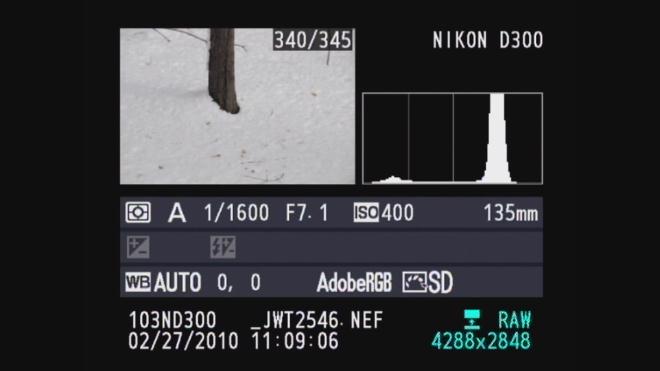
For those familiar with histograms we can further look into diagnosing our exposure. The histograms are shown below with both our camera exposure and with exposure compensation set on + 1.0. Histograms are available in almost any digital camera including point and shoots and most imaging programs like Photoshop Elements.
A histogram is just a map of the tonal values in our image from black (left most point) to white (right most point) with the height representing how much of the image is at a particular level of brightness. Your histogram will look the same in camera and when you open that image up in your imaging program.
^Black Middle^Grey White^
In the grey snow example above our histogram has a good deal of room before the white point on the right so the image represented by this histogram is a shade of grey not white. By overexposing one stop ( +/- +1.0) the camera automatically adjusts and allows 1 extra stop or twice the amount of light. As you can see from the histogram below we still have a small amount of room before the white point (this room indicates we have not blown out our highlights. If this histogram started all the way to the right and did not build to a peak, this would indicate over exposure and blown out highlights. The fix would be to reduce the exposure compensation from +1.0 to +0.7 and check again. The peak will move to the left each time you reduce your exposure. More on histograms in an upcoming tutorial.
What to Do With Christmas Lights
Whether you’re trying to get the perfect shot of your decorated home, taking family photos in front of the tree, or using the lights to get an interesting photo, Christmas Lights can be tricky to photograph. Each situation requires different gear and a different camera set up.
Photographing Your Home
With photos of homes lit by Christmas lights, you’re going to want a closed down aperture, a slow shutter speed, and a low ISO. With a closed down aperture(F/11, f/16), you’ll get plenty of depth of focus so everything from your windows to the trees in the distance will be in focus. The slow shutter speed will allow you to properly expose your image, and the low ISO will keep noise in your photo to a minimum. Because your shutter speed with be slower then 1/60th of a second, you’re going to need a tripod to hold the camera steady. For a unique look, try throwing a colored gel on your flash and setting it off once during the photo.
Photographing your Family In Front of Christmas Lights
To take the best photos involving both your family or another subject in front of Christmas lights involves using a flash. Place the camera on a Tripod and set the flash to rear curtain sync. This will fire the flash at the end of your photo. Allowing a slow shutter speed to expose the lights, then the flash to illuminate your subject in the front of the image. To join the picture, use a wireless remote or set the camera to a 10 second delay.
Using Christmas Lights to Create An Interesting Photo
BCC Employee Juline Moreland’s creative recycling of film canisters says both “Happy Holidays” and “Don’t Forget Your Camera”.
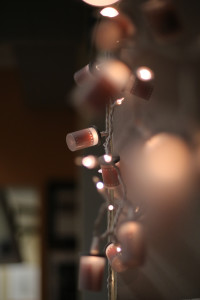
One of my favorite aspects of Christmas lights, are how they look when they fall out of your depth of focus. Each small bulb becomes an otherworldly glowing ball of light. Use a lens with a wide aperture (f/1.8, f/1.4) to allow only a sliver of focus in your image. Thus creating an interesting and beautiful background to your subjects.
We hope you’ll enjoy this beautiful weather, but remember to stay safe. Should you have any questions of comments feel free to stop in at Bergen County Camera, comment on this post, or message us on our Facebook page.
Focus sessions are free and take place in the Westwood store from 9:30 am – 10 am. All sessions will allow for questions and answers. Please bring your camera and any images along that you have questions about. Feel free to use the comment option to make suggestions for future focus sessions.
Hit the “Like Button” to let your friends know. Have suggestions for future focus sessions? Feel free to leave a comment. (Comments actually work now!)
Here’s our upcoming Focus Sessions:
November 28 – No Focus Session
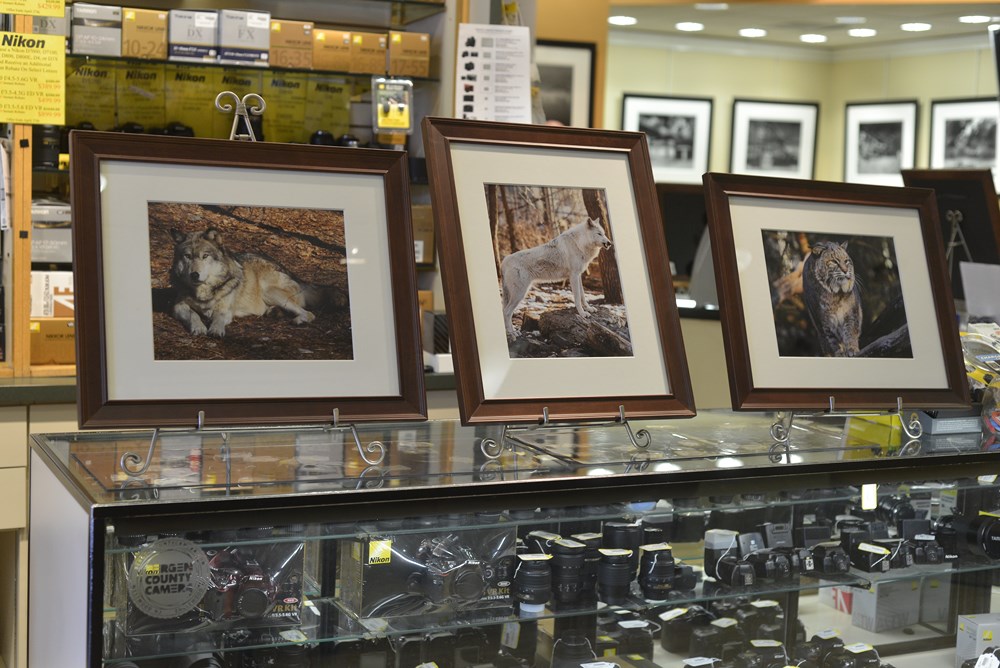
December 7 – Lakota Wolf Trip Review
December 14 – Wish list for Santa
December 21 – Winter Photography
December 28 – End of Year Focus Session Celebration – Paul says “It’s a surprise”
These are free events – bring a friend along if you’d like. Share with your friends on Facebook – Click the Like button below. Hope you can join us!
Join Bergen County Camera and Tamron for our Lakota Wolf Preserve Photography Trip on Sunday, November 24th, 2013. There will be numerous opportunities to get unobstructed pictures of the wolves in their natural settings. Since you will be photographing the wolves where they live, in a stress free environment, you will get the best possible photo opportunities. Come as close as 3-4 feet of the wolves during our private photography session.
There will be a pre-trip lecture on Creating Great Images at Lakota Wolf in our Westwood store, the date is Thursday, November 21st. The lecture will cover the layout and rules of Lakota, what to expect, what lenses are best suited, and how to get that great shot!
Tamron will be providing free loaner lenses for Nikon, Canon, and Sony cameras. Bonus rebates on all current Tamron lenses will also be offered.
BCC will open a half hour before our 6:00am bus departure for coffee, bagels and any last minute photography needs. Tickets are $250 each and include round trip bus transportation and admission. The bus will depart around 11:00am with a scheduled arrival of 1:00pm back at the store. This trip is limited to 30 people so be sure to reserve early.
We’ll have some special offers and a photo contest for the best picture taken on the trip. More information will be provided at our pre-trip lecture regarding the contest. Hope to see you there.
Please note: No one under 16 years of age allowed on this workshop.
Advance reservations required.
Subscribe to our newsletter to be the first to learn about upcoming classes, events, new products and trips.
Here are some pictures provide by Dan Bacon from Lakota Wolf Preserve – Thanks Dan!
Frustrated? Confused? Wondering why that picture just doesn’t look anything like you were hoping it would?
We are here to help.
Getting the best out of your camera always takes a bit of knowledge and some preparation. Photography can be overwhelming and frustrating at times, but really there are only three important elements of digital photography: Shutter Speed, Aperture, and ISO. Once you gain a basic understanding of these three elements, you will find your pictures are vastly better. These three elements are connected in the camera, and changing one of the elements will effect the other two.
If at any point in reading this you get overwhelmed or confused, you can always stop in or call Bergen County Camera to ask questions.
Camera Modes
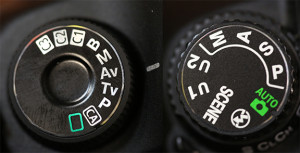
Mode Dials of a Canon 5D Mark II (Left) and a Nikon D7000 (Right)
Most cameras have five modes: Auto, Program, Shutter Priority, and Aperture Priority, and Manual. Some cameras only have two modes: Auto and Program. Many cameras have additional modes, but these are auto modes which often do not help you take better photos. In each of these modes you are controlling one or more elements of photography.
Auto – the camera controls everything. While this is the easiest mode to use, it is also the most likely to give you blurry images.
Program – Allows adjustment of the ISO.
Shutter Priority – Allows adjustment of the ISO and shutter speed.
Aperture Priority – Allows adjustment of the ISO and aperture.
Manual – Allows adjustment of the ISO, shutter speed, and aperture. This is the most difficult mode to use because you must use the meter in the camera to find the correct exposure for your picture.
Rear screen of a Canon G11. Often this information can be found by activating the autofocus on your camera. (pressing the shutter button down half way)
Shutter Speed
Every time you press your shutter button and take a picture, a window opens inside your camera, exposing the area which creates the image, the sensor, to light. The less time the sensor is exposed, the less motion you see in an image. Shutter speed is shown as a fraction of a second. In the image below, the shutter speed in the red box is 1/20th of a second. This is telling you that the window inside the camera will open and then close 1/20th of a second later.
The average person, holding a camera still needs a shutter speed quicker then 1/60th of a second to get a clear, non-blurry image. If the shutter speed is slower then 1/60th of a second, you need to change either the Aperture or ISO.
Aperture
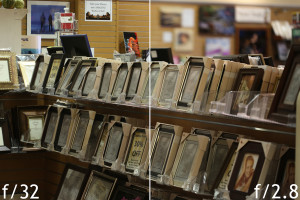
Depth of Focus variation from adjusting the camera’s Aperture
Aperture describes the amount of light passing through the lens into the camera. All lenses are marked with a maximum aperture, weather it’s on a point and shoot or an SLR. The aperture is also known as the f-stop. In the image below, within the blue box shows an aperture of “F2.8”. The lower the f-stop, the more light that is entering the camera. The more light entering the camera, the quicker the shutter speed can be to give you correct exposure.
The aperture also controls your depth of focus in an image. If you are looking to have your subject in focus, but the background blurry, you need a low aperture lens and a low aperture set on the camera. When a photographer talks about stepping a lens down, he is describing shooting at a higher f-stop. The higher the f-stop, the less light entering the lens, and the greater your depth of focus becomes. This is what you would do if you were shooting a landscape image where everything from the grass to the mountains to the clouds was in focus.
ISO
ISO is the sensitivity of the sensor of the camera. The higher the ISO, the more sensitive the camera is to light, and the quicker the shutter speed can be to give you a correctly exposed image. In the image below, in the yellow box, the ISO is set to 800. For those wondering, ISO stands for International Organization for Standardization. When you shoot at higher ISO settings, you are likely to see more noise in your images. Noise is a speckling of randomized color in your image. The lower your ISO, the less noise you get. However, the lower your ISO, the slower your shutter speed needs to be to get a correctly exposed image.
Bring It All Together
So your image is blurry. This occurs when your shutter speed isn’t quick enough. In order to raise your shutter speed, you need to either raise your ISO or set your aperture to a lower f-stop. Making your sensor more sensitive or allowing more light into the camera will allow you to shoot at a high enough shutter speed to take a clear image.
Keep in mind that 1/60th of a second is the magic number in most situations, however if you are shooting sports, dancing, or any other high motion activity, you may need a shutter speed upwards of 1/1000th of a second.
Still Unable to Get a Clear Image?
In some situations, your camera will be unable to obtain a shutter speed quick enough to get a correctly exposed image. I have run into this issue at concerts where lighting is incredibly low. I prefer a clear image which is underexposed over a blurry image which is correctly exposed, then restoring correct exposure using photo editing software. Shooting Manual, I will set my shutter speed to 1/60th of a second through 1/250th of a second. Next I’m setting the aperture to as low an f-stop as possible, thus letting in as much light as possible. And finally I’m setting my ISO as high as I can, without having too much noise. Find this setting before the concert by taking photos in a low lit area and raising your ISO between shots. RAW image format is extremely useful in this situation. RAW is an uncompressed image format which retains more information about the image for editing. In a RAW processor such as Adobe Lightroom, you can raise an image’s exposure back to correct level. This is a difficult process, but if you’re stuck in a bad lighting situation, you need to be able to adapt.
Still have questions? Still feeling lost?
We are here to help you enjoy photography. Stop by Bergen County Camera in Westwood. We offer classes, private tutorials, and trips to help you enjoy your camera.
Focus sessions are free and take place in the Westwood store from 9:30 am – 10 am. All sessions will allow for questions and answers. Please bring your camera and any images along that you have questions about. Feel free to use the comment option to make suggestions for future focus sessions.
Hit the “Like Button” to let your friends know. Have suggestions for future focus sessions? Feel free to leave a comment. (Comments actually work now!)
Here’s our upcoming Focus Sessions:
October 12 – Halloween Photography
October 19 – Leica X Vario Review
October 26 – Baron Wolman
November 2 – Fall Foliage Photography / Filters
November 9 – Honor the Vets – Flag Photography
November 16 – How to Shoot a Great Holiday Photo for your Holiday Card
November 23 – Better Pictures – Family Parties – Thanksgiving – Passover
December 7 – Lakota Wolf Trip Review
December 14 – Wish list for Santa
December 21 – Winter Photography
December 28 – End of Year Focus Session Celebration – Paul says “It’s a surprise”
These are free events – bring a friend along if you’d like. Share with your friends on Facebook – Click the Like button below. Hope you can join us!
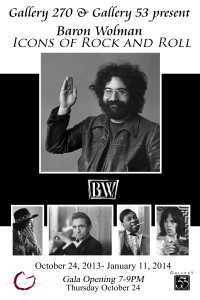
We are proud to announce our partnership with Gallery 53 in New York City for Baron Wolman’s “Icons of Rock and Roll”. The exhibit will be opening on October 24th from 7pm-9pm. Running through January 9th, “Icons of Rock and Roll” will highlight some of Baron Wolman’s best images of rock and roll’s greatest artists. Refreshments will be served. Gallery 53 is located at 246 East 53rd Street between 2nd & 3rd Ave in Midtown Manhattan, 10022. Need directions to Gallery 53? Click Here
Baron Wolman will also be joining us on October 26th at 9:30am for a Special Saturday Morning Session, “The Story Behind the Pictures”. Baron will treat us to some of his favorite stories behind his images. After the session, Baron will also be available to sign and personalize books. We hope you can join us.
We also have an extremely exciting opportunity to announce. Baron is offering a select number of photographers the opportunity to have him review your portfolio. On October 25th and 26th between 1-4pm Baron will be at Bergen County Camera in Westwood, NJ to offer advise and recommendations to upcoming photographers. For just $25, you can reserve your spot to sit down the the Legendary Rock and Roll Photographer himself. If you sign up for the portfolio review, you will be able to purchase a Baron signed 8×10 historic pigment print of Santana at Woodstock for $50.00 (normally $100) and Baron’s signed iconic 11×14 Multiplex for $175.00 (normally $350). This opportunity is limited to just 18 photographers and is sure to sell out quickly, so sign up soon.