Prepare Your Camera For Summer

summerban

With the welcome return of summer comes vacations, beaches, pools, and campfires. We know you’re ready, but is your camera? All too often we hear the dreaded stories of past vacations where a camera suddenly stops working. Avoid the disappointment by following this camera checklist:

1. Turn your camera on – It’s a simple step, but sometimes it reveals a serious issue.

  • If your camera turns on – Great! Step one passed.
  • If your camera does not turn on – Don’t panic. Try charging you battery. Camera batteries can go dead after months of sitting on a shelf. If your camera still does not turn on after charging your battery, bring your camera in and we’ll figure out what’s wrong. Your battery could have stopped holding a charge, or it could be something worse. We’re here to help!

2. Spend some time taking sporadic photos throughout your day – Make sure you use your flash for a few photos.

  • If your camera takes photos – Great! Step two passed.
  • If your camera takes photos but the battery dies quickly – Often camera batteries will stop holding a charge or hold less of a charge after a few years of use. If your battery life diminishes quickly it’s time for a replacement battery.
  • The camera won’t take photos or has given an error screen – Try a different memory card. It could be a bad memory card causing the problem. If it’s still not taking photos, bring the camera in. It could be a quick fix, it could be worse. Either way, we’re here to help!
  • The flash isn’t working – Check which mode your camera currently is in. In Auto mode your camera will automatically raise and fire your flash. In Program on more manual modes, you must tell the camera to use the flash. Check which mode your camera is currently in. If it’s still having issues, bring it in. Could be something simple, could need to be fixed. We’ll figure it out for you.

3. Download your photos to your computer –

  • Everything downloaded quickly and looks correct – Great! You’ve got a working camera and memory card. We still recommend taking an extra battery and memory card with you this summer, because it’s always better to be safe then to miss an important moment.
  • It’s been downloading for hours, does it usually take this long? – No, sometimes your memory cards have corruption issues and sometimes your memory card readers stop working right. Bring in the memory card and we’ll figure out which is not working. You can try formatting the card, but this will lose the photos currently saved on your memory card. Better losing those meaningless photos then important once in a lifetime photos.
  • The computer gave me a corruption message – You can try formatting your memory card, this will delete all the photos currently on your memory card. You may need a new memory card. Remember all Promaster memory cards and rechargeable lithium ion camera batteries have lifetime guarantees.

Recommended summer vacation accessories:

  • Optech Rain Sleeves – Now available in several different sizes, these plastic sleeves will allow you to take photos safely in the rain. Also great for protection from sand damage. Place your camera in the sleeve and take those great beach photos without having to worry about wind blown sand ending up inside your camera.
  • Polarized lens filter – Great vacation spots always include some form of water and polarizers make a huge difference when photographing water.
  • Back Up Promaster Battery – Keep taking photos with a back up battery. All Promaster batteries come with a lifetime guarantee.
  • Back Up Promaster SD Card – Take more photos and don’t worry about corruption. Have multiple memory cards to save your photos to.
  • Comfortable Camera Bag – The more comfortable you can make having your camera with you, the less likely you’ll be to leave it behind.
  • Comfortable Neck Strap – Walking around with a camera on your neck can be irritating. Purchasing a comfortable neck strap or shoulder strap for your camera can change your photo experience.

Still not feeling confident with your camera or think there is an issue? Visit Bergen County Camera and we’ll check your camera and lenses, and give you recommendations for what accessories you’ll need for your vacation.


Free Focus Sessions – July and August 2015

Focus sessions are free and take place in our store from 9:30 am – 10 am. All sessions will allow for questions and answers. Please bring your camera and any images along that you have questions about. Feel free to use the comment option to make suggestions for future focus sessions.

focusbanner1Hit the “Like Button” to let your friends know. Have suggestions for future focus sessions? Feel free to leave a comment.


Here’s our upcoming Focus Sessions:

July 4 – No Focus Session – Bergen County Camera Closed

July 11 – Wildlife Photography

July 18 – Sensor Cleaning

July 25 –  When Things Go Wrong

August 1 – Infrared Photography – See what it can do for you – presenter Alan Schwab

August 8 – Mylio with Special Guest Harry Wendt

These are free events – bring a friend along if you’d like. Share with your friends on Facebook – Click the Like button below. Hope you can join us!

"fo</p

Scam Warning For Photographers

Recently one of our employees was contacted through their website with the following message:

“I will like to know your availability day in July, 2015 just for 6 hours service, also i will need portrait work done after the photography work is done after the event. I will like you to get back to me with your availability day in July, its a family reunion party. And also do you accept credit card payment?”

Note that there is no date stated for the family reunion, and the biggest warning sign, the request to use a credit card for payment. If you contact them with your prices they will respond:

“The price is okay with me and i am ready to make full payment of the service now with my credit card so i can be rest assured the date is secured for the event, I need you to render me a favor regarding the event planner that is handling the event for me. The favor is that the event planner is currently not authorized to accept credit card so i want you to help coordinate his fee on my card along with your payment. I will give you my card to charge for your service and the event planner fee (You will charge your fee then charge an additional $1500 for the event planner) As soon as you charge it through and it approves you will forward it to him so everything can be set for the event, Reason i am asking you for the favor is cus i just got out of Intensive care and My Psychiatrist strongly a Psychiatrist strongly advice me to minimize the stress i go through else i might develop severe weakness and tiredness. I am willing to offer you an extra $50 as tip for your assistance, Bear with me I will be authorizing and responsible for all the charges on my credit card.”

The scammer will give a reason to make a larger payment and will request you wire the difference to a second person. Once you wire the money, you will never hear from the scammer again. The credit card will be a fake and you will be left out of your money and time.

This scam is currently being attempted both on Facebook and through photography websites. They use several fake names through these scams including Leland Whitehurst, Shane West, Tom Porter, Jeremy, and Janice Adara.

Remember when anyone online asks you to forward money to a second party, this is a scam. Be careful and stay safe!

Long Exposure Photography

Long Exposures

1024px-Boulevard_du_Temple_by_Daguerre
“Boulevard du Temple”, a daguerreotype made by Louis Daguerre in 1838. The first known photograph of a human.

The first cameras ever made would only shoot long exposure photographs. These cameras could only capture low levels of light over a prolonged amount of time. The first known photograph of a person “Boulevard du Temple” was taken by coincidence in 1838. A gentleman just happened to get his shoes shined while the photograph was being taken. This anonymous figure stood just still enough for just long enough to appear in the final image.

Long exposure photography involved forcing your camera to shoot images at slower then needed shutter speeds in order to create a motion effect. Long exposure photographs can produce smooth or milky water, light trails, and moving object disappearing from the final image.

Depending on when you are taking your long exposure photograph, you will need the following items:

  • A Camera with manual setting
  • Tripod
  • Neutral Density Filter (during the day)
  • A remote release (Either wired or wireless)

There are a few ways to slow down your shutter speed without overexposing your photograph. You can lower your ISO, close down your aperture (f/8-f22), or use neutral density filters. Due to the shutter speed being slow, a tripod is needed to prevent motion blur on your subject.

1397311_577383000577_177590289_o
An example of a long exposure photograph taken during the day using a neutral density filter.

To take a long exposure photograph, place your camera into aperture priority or manual mode. In aperture priority your camera will choose a proper shutter speed based upon what you set the aperture and ISO to in your camera. If you set your ISO to 100 and raise the aperture to close down the lens (f/18 or f/22) your camera will be forced to take a photo at a slower shutter speed. The same effect can be created by manually setting the ISO, aperture, and shutter speed but you will be forced to meter your image instead of the camera.

When photographing water during the day, place your camera on a tripod and use a neutral density filter. Neutral density filters will allow less light to pass through your lens. There are several different levels of neutral density filters each blocking more amount then the previous. ( 4x, 8x, 16x, 32x, 400x, 1000x) Variable Neutral Density filters also are available. These allow the photographer to select how much light to let through.

10644103_610064311967_7570970746639168978_o
A night time long exposure shot without a neutral density filter.

When shooting Long Exposure photographs at night, the neutral density filter is often not needed. The camera can be placed upon a tripod and shot using whatever light is available. However, on nights when the moon is full or when you’re near other light sources the desired effect cannot be accomplished. In those situations a Neutral Density Filter can be used.

The effects accomplished by shooting long exposure photographs in the right places can be amazing. Recently a photographer named Christopher Thomas shot long exposure photographs of New York city which make the city look abandoned.  Michael Massaia, one of the artists represented by Gallery 270, has created several absolutely stunning photographs, including several photos in his “Afterlife portfolio, using long exposure techniques.

To learn more about long exposure photography stop into Bergen County Camera, comment below, or send us a message on Facebook. We’re here to help!

Visit Bergen County Camera this Thursday night, April 30th, between 6 PM and 9 PM to save 20% on all Promaster Camera batteries and filters. (including Neutral Density filters!)

Places to Photograph: New Croton Dam, Croton-on-Hudson, NY

Crotondambanner

View a full list of great local photo locations.

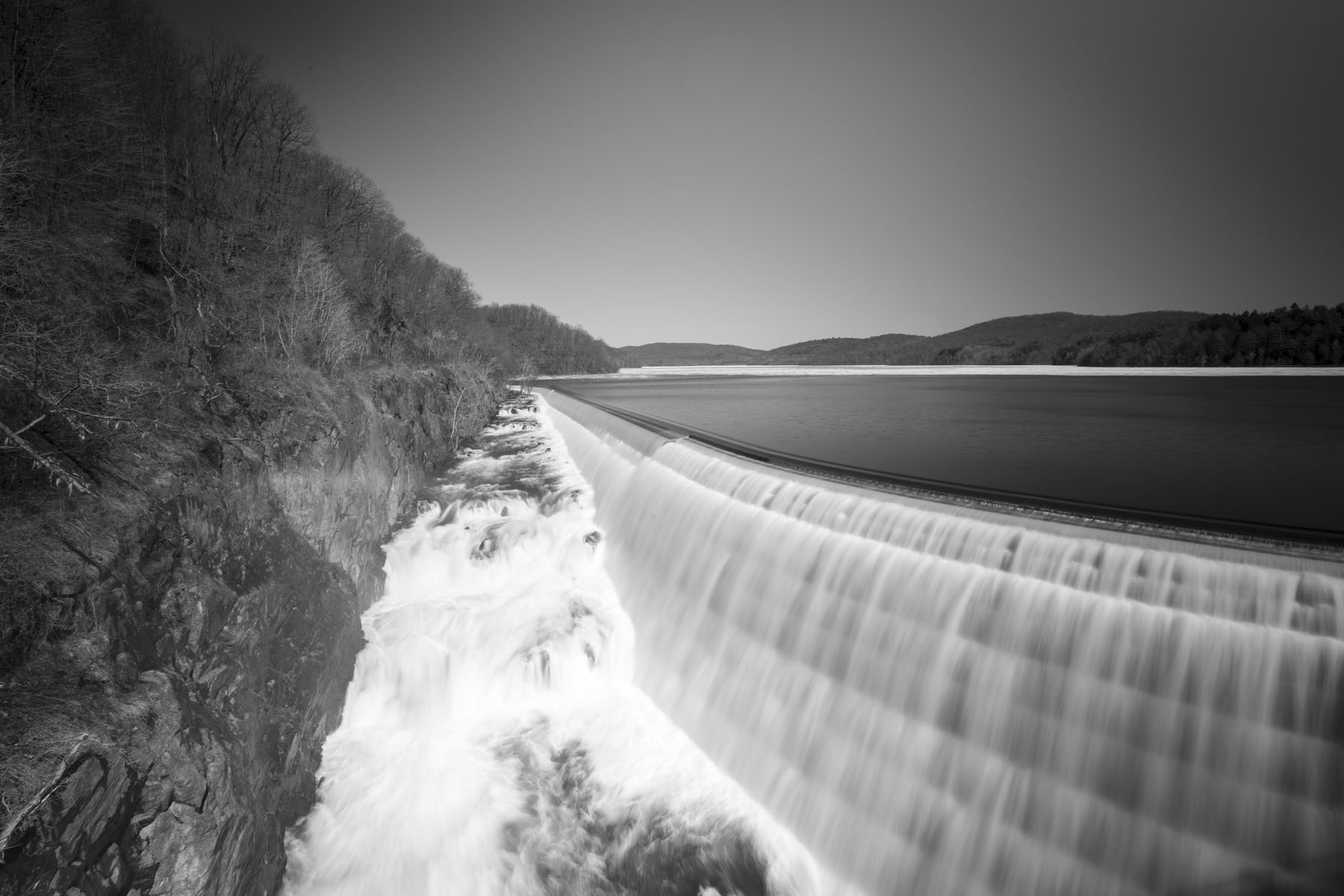
The New Croton Dam (also known as Cornell Dam), part of the New York City water supply system, stretches across the Croton River near Croton-on-Hudson, New York. Located about 50 minutes from our store, Croton Dam makes a great day trip or picnic destination . Construction began in 1892 and was completed in 1906. The masonry dam is 266 feet  broad at its base and 297 feet high from base to crest. At the time of its completion, it was the tallest dam in the world. New Croton Dam impounds up to 19 billion gallons of water. The dam has an unusual spillway, part artificial and part natural, which forms a waterfall on the north side of the structure.

Photos by: Alfred Hess

Places To Shoot

Thanks to everyone who joined us for our February 28th Focus Session and made some great suggestions for places to shoot. Here’s the resulting list of locations to take your camera for some great photos.

United Water and the Oradell Reservoir – Oradell, Haworth, Harrington Park, Emerson – View on Google Maps

Haverstraw Marina – West Haverstraw, NY – View on Google Maps

The Meadowlands – Dekorte Park – Lyndhurst, NJ – View on Google Maps

Mill Creek Marsh, Secaucus, NJ – View on Google Maps

World of Wings Butterfly Museum – Teaneck, NJ – View On Google Maps

Rockland Lake State Park and Golf Course – Valley Cottage, NY – View on Google Maps

Van Saun Park – Paramus, NJ – View on Google Maps

Turtleback Zoo – West Orange, NJ – View On Google Maps

Space Farms – Wantage, NJ – View On Google Maps

Wyckoff Nature Center – Wyckoff, NJ – View On Google Maps

New Croton Dam – Croton-on-Hudson, NY – View On Google MapsView More On Our Blog

Cooper’s Pond – Bergenfield, NJ – View On Google Maps

Palisades Cliff Lookouts – Alpine, NJ View On Google Maps

Greenbrook Sanctuary – Tenafly, NJ – View On Google Maps

Stateline Lookout – Alpine, NJ – Sunday April 26th 12-3pm Visitor’s Day – View On Google Maps

Ringwood Manor – Ringwood, NJ – View On Google Maps

Great Swamp National Wildlife Refuge – Gillette, NJ – View On Google Maps

Lake Mohonk and the Mohonk Mountain House – New Paltz, NY – View On Google Maps

Liberty Marsh – Warwick, NY – View On Google Maps

Glen Rock Arboretum – Glen Rock, NJ – View On Google Maps

Crestwood Lake – Allendale, NJ – View On Google Maps

Celery Farm – Allendale, NJ – View On Google Maps

Laurelwood Arboretum – Wayne, NJ – View On Google Maps

Rockefeller State Preserve – Sleepy Hollow, NY – View On Google Maps

Deep Cut Gardens – Middletown, NJ – View On Google Maps

West Point, NY – View On Google Maps

Princeton, NJ – View On Google Maps

Ellis Island – Hospital – SaveEllisIsland.orgView On Google Maps

Iris Garden – Presby Memorial – Montclair, NJ – View On Google Maps

Willowwood Arboretum – Kingston, NY

Duke Farms – Hillsborough Township, NJView On Google Maps

Harriman – Stony Brook Trail – Sloatsburg, NY View On Google Maps

Greenwood Garden – Short Hills, NJ – View On Google Maps

Eagle Rock Reserve – Montclair, NJ – View On Google Maps

Raptor’s Trust – Long Hill, NJ – View On Google Maps

Ramapo Valley County Reservation – Mahwah, NJ – View On Google Maps

Rockefeller Estate – Tarrytown, NY – View On Google Maps

Sleepy Hollow Cemetary – Sleepy Hollow, NY – View On Google Maps

Camden Aquarium – Canden, NJ – View On Google Maps

Lake Minnwaska – New Paltz, NY – View On Google Maps

Storm King – New Windsor, NY – View On Google Maps

Mid Hudson Bridge and The Walkway Over The Hudson – Poughkeepsie, NY – View On Google Maps

Paterson Great Falls – Paterson, NJ View On Google Maps

Fort Hancock – Sandy Hook – View On Google Maps

Ferry Road – Piermont, NY – View On Google Maps

Fort Lee Historic Park – Fort Lee, NJ – View On Google Maps

The Cloisters – New York City – View On Google Maps

Ricketts Glen State Park – Benton, PA – View On Google Maps

Print Critique Focus Session Special

This Saturday, January 17th at 9:30 am, bring in one of your printed images for this week’s focus session and we’ll critique your print and provide you helpful tips in how to improve your photography. For participating in the focus session, you’ll save 20% on any frame for your print. Limited to one frame per person. Available on in stock items only.

Get Prepared For The Holidays

Untitled-1Visit Bergen County Camera to prepare for the Holiday Season. We’re always willing to answer your questions and help make your photos great. Looking to upgrade your camera? Visit us now and we’ll help you find the right camera for your life, set up your camera, and make sure you have the knowledge to feel comfortable using it. We’re often the same prices as the big box stores, only with staff and service there to help you learn and enjoy photography.

Things to check on your camera to prepare for the holidays:

1. Turn on your camera. If your camera did not turn on it may need the battery charged, possibly it may need a new battery, or the camera may need service. Bring it in and we’ll get it working for you.

2. Check your memory cards. Always have a back up memory card in case your memory card becomes corrupt.

3. Seeing spots in your photos? A sensor cleaning may be required. We preform next day sensor cleanings.

Take your camera out and use it to be sure it’s not showing any other issues. Should something be not acting correctly, bring it in, we’ll get it working right and help make sure your Holiday photos are great.

All About Aperture

_HES7456
Chloe (1/800th of a second at f/1.8)

Photography is the art of capturing a moment. Light and time caught and preserved for the enjoyment of all. While I can easily describe the amount of time it took to take a photograph, (in the accompanying photo 1/800th of a second) describing the amount of light is a little more complicated.

Your lens features a system which controls the light entering your camera. Much like the pupil of a human eye shrinks and grows depending on how much light is entering the eye, the lens has aperture blades which shrink the opening of the lens so the right amount of light enters for proper exposure. When we describe how much light is used in creating an image, we describe how much light is entering the lens, known as the f-stop, through the opening of the lens, the aperture. The lower the f-stop number, the higher the amount of light entering the lens. So an f-stop of 1.8 is letting in more light then an f-stop of 5.6.

Varying apertures can have dramatic effects on your photographs. Changing the aperture of your photos will both alter the depth of focus in your photos as well as the minimum shutter speed for proper exposure. Depth of focus is how far into your photo objects appears clear. When I use an aperture of f/1.8(lots of light entering the lens) objects in the foreground and background of where I focus will appear soft or blurry. Oppositely if I use an aperture of  f/32(little light is entering the lens), both the subject I focus on, as well as both the foreground and background will be in focus.

When shooting in low light environments, changing the aperture of the lens to allow as much light in as possible will result in a quicker shutter speed and a sharper image. This often allows for taking photos without a flash even when there is low light. In landscape photography, changing the aperture will allow an increased depth of field and more subjects in focus.

Lenses can have either a fixed or variable aperture. In variable aperture lenses, the maximum aperture changes depending on what focal length you’re using, or how far you’ve zoomed your lens.

_HES2257
Finding the Aperture of a Nikon 18-55mm lens

To find the aperture of your lens, we’ll take a look at a Nikon 18-55mm lens. Look at the front of the lens. There is a sequence of numbers on the front of the lens telling you the focal length of your lens (18-55mm) and a ratio showing the aperture (1:3.5-5.6). This is telling you that your lens is a variable aperture lens where the lowest possible aperture of your lens is f/3.5 at the shortest focal length (18mm) and f/5.6 at the furthest focal length (55mm).

In taking both portraits and everyday photos, low aperture lenses can make your photos much more interesting at a low cost.

Confused or want to learn more? Visit Bergen County Camera to learn more about aperture, lenses, and other ways to improve your photography.

Fireworks Photography

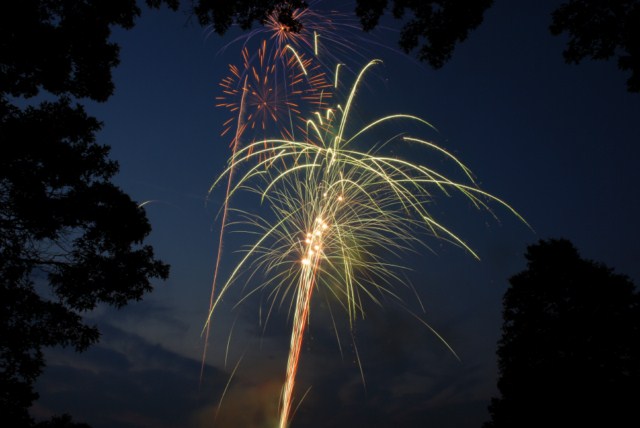
Bergen County Camera employee and photography expert Alan Schwab recently hosted our focus session on fireworks photography and created this tip sheet!

Bergen Record – July 4th Celebrations List  Check bestofnj.com for a list of upcoming fireworks shows

How to Shoot Fireworks

96161. Set your camera to Bulb Mode. If there is no Bulb mode on your mode dial, check in Manual Mode. Change the shutter speed to the longest possible (Often switches from 30 seconds to “Bulb”). In Bulb Mode, the shutter will stay open as long as you hold down the shutter release.

2. Use a Low ISO. (100 or 200)

3. No Long Exposure Noise Reduction, high ISO NR can stay on but is not needed.

4. Set your Aperture between f/8 and f/11

5.Set your White Balance to Auto

6. No Mirror Lock Up

7. Focus your lens manually on infinity. Test where infinity is by focusing on the furthest possible object your lens can resolve sharply.

8. No Dynamic Lighting or Auto Light Optimizer

9. Vivid color mode, leave saturation at normal, landscape (picture style) for Canon users.

10. Turn the Image Stabilizer (IS or VR) off

11. Metering – Matrix or evaluative

12. You will not need to meter anything while shooting. (f/11, Bulb mode, ISO 100)

13. Tripod, short zoom lens 18-70, 24-70, 18-105, 18-140, 24-105, cable release (No need to lock)

14. Tripod will possibly need to be re-positioned (tilt etc.) once show starts. I’ll shoot vertical more often then horizontal.

15. Vary your focal length for composition

16. Fire Shutter (Cable Release) hold rather then lock. Hold for multiple bursts. (2-up to 8 maybe more) Check monitor, exposures should average 2-4 seconds although exposures can last up to 15 seconds. Disregard the histogram.

17. Finale shots need to happen quicker then the rest of the show. These shots can become over exposed quickly due to the number of fireworks exploding. Shutter speeds during the finale can range between 1 second and – 1/30th of a second.

18. JPEG or RAW format. RAW is not necessary unless you feel the need to recover highlights. Shoot JPEG or RAW together or just JPEG. Use a fast card for recovery of write speed times. Raw will offer more color bit information.

19. Bring extra cards, batteries, mini flashlight. The show may be 30 minutes to an hour long. Be careful inserting a memory card in the dark.

20. Add an element of scenic interest to your pictures. Look for a location which has a bridge, skyline, or crowd.

Check out our earlier blog post on Fireworks Photography

As always, if you have any questions about this or any other photographic subject, feel free to stop by, give us a call, message us on facebook, or comment below.