Learn More – Sharpening in Photoshop

Historical Posting – Originally published in 2004 – Since this is an archived story – products mentioned may not be available or even made any more – Let us know if you have any questions.

Sharpening color images with Unsharp mask applies to the full version of Photoshop

Have you ever tried to sharpen an image and wound up with color fringing on high contrast lines in your image? Try this when sharpening images the next time: first make a copy of an image your want to experiment with. Instead of sharpening your image in RGB color first convert the image to Lab color {Image – Mode – Lab }. Next using the channel picker {Window – Show Channels} choose the lightness layer by clicking on it. The image on the screen will appear in grayscale since you are only looking at the lightness and darkness components of the image and none of the color information. Now click on the filter menu and choose { Sharpen – Unsharp Mask }. This is a visual decision but you may want to start by setting the filter to 150%, Radius 2, Threshold of 1, then click ok to apply the filter. Next go to the Channels pallet and choose click the Lab box in the channels pallet, the image will now appear in color. Finally convert the image back to RGB by { Image – Mode – RGB } If you’d like to compare the two methods, make a copy of the original image again apply the same amount of sharpening to the RGB copy of the image and compare the two side by side. What do you think?

Here’s why this trick works. When you sharpen an image in RGB you are essentially sharpening 3 different image layers or channels; red, green and blue. This means you are working with three-color images, color fringing occurs in areas where there is high contrast edges or transitions from color to color. In its worst case, this appears like a red, green and blue edge. Working in Lab color, the color information is separated from the light and dark tonal information that makes up the image. So when you sharpen the Lightness channel you are doing nothing with the color of the image and for this reason no color fringing is introduced into your image. Using this approach you will find that you can apply a great deal of sharpening without degrading the image. Good Luck!

Learn More – Time Exposures

Historical Posting – Originally published in 2004 – Since this is an archived story – products mentioned may not be available or even made any more – Let us know if you have any questions.

If you have a “B” setting on your camera, one of the fun things you can do is to take time exposures. It’s easy to do if you keep several important points in mind. Plan to experiment and have fun. Use your imagination! There are not real hard and fast rules to time exposures, so relax, shoot a lot of film and experiment.

  • Subject. Good subjects for time exposure include just about any bright light source such as traffic patterns, amusement park rides, speeding trains, fireworks and even ships passing in the night. Stationary light sources such as neon signs or holiday illumination can also be time photographed through a technique called “zooming” (see below).
  • Photographing light trails is dependent on keeping the shutter open for an extended period. The correct duration depends on length of exposure, lens focal length and subject distance. Traffic patterns could take anywhere from a few seconds to a minute depending on the distance to the subject and its speed. Amusement rides require a significantly shorter duration. The passing ship will require extended duration because of the speed of the vessel and its distance from the camera.
  • When the angle of view is wide, the exposure must be longer to capture movement because it takes the subject longer to pass through the frame. Conversely, using a telephoto lens isolates a smaller part of the scene, so the exposure is shorter.
  • Be sure to use a tripod and a cable release to avoid camera shake.
  • Determining exposure time. The best way to measure exposure is to read a middle tone in the scene. A car’s taillight is an excellent starting point. After you measure the exposure, set the duration to the time it takes for the subject to move through the frame. Then set the correct aperture for that time.
  • Traffic Patterns. Twilight is an optimal time to capture traffic patterns. Try to position yourself slightly above the traffic. Don’t compose the scene where headlights are shining directly into the lens or set-up on ground affected by traffic vibration. Try to photograph the taillights for saturated red streaks. When using ISO 100 film, eight seconds at f/8 is a good starting point.
  • Amusement Park Rides. Exposure duration should be based on several rotations of the ride. The longer the exposure, the smoother the light will be. Find a position that allows you to include the entire ride. When using ISO 100 film, try an exposure of two seconds at f11 and bracket exposures.
  • Boats. Compose the scene like a city scape or landscape. The light trail is more of an accent than the main subject. Make the longest exposure possible. It could require an exposure of several minutes.
  • Zooming. Zooming allows you to procure streaks from stationary light sources such as neon lights, pin-lit trees and holiday lights. The best sources are bright lights against dark backgrounds. Zooming is not an exact science, so the results may vary. The most popular method is to begin in the wide angle setting, then slowly zoom in to the telephoto setting. The camera does not have to be on a tripod, but it helps. The exposure duration for zooming is significantly shorter than light trails in motion. Basically, you set the shutter speed between one and four seconds, then set the aperture accordingly.
  • Many of today’s modern SLR cameras are equipped with incredible abilities to take time exposures automatically. If you have one of these cameras, try setting it on “Aperture priority” with the smallest setting available on your cameras (F22). Use your flash and set it to “rear curtain sync” for spectacular results. With a little practice you’ll achieve a blending of the light in the background, with your subject “flash frozen” in the foreground.
  • Many of the sophisticated point and shoots also have “night photography modes.” If you have not experimented with this setting on your camera, be sure to give it a try.
  • Helpful Accessories. BCC has a variety of accessories to help you take more dramatic time exposures. These include tripods ($14.95 and up) and monopods ($29.95 and up), cable releases ($11.95 and up), and bean bags ($20 and up) for steadying your shots plus the Black Cat Exposure Guide ($19.95) and the Kodak Pocket Photo Guide ($12.95) to provide advice on any exposure setting for almost every possible shooting situation.

Tom’s Rules For Time Exposure:

  1. Have fun.
  2. Use your imagination.
  3. Bracket your shots.
  4. Shoot a lot of film!

Learn More – Tripods = Sharp Pictures

Historical Posting – Originally published in our In Focus Newsletter in 1998 – Since this is an archived story – products mentioned may not be available or even made any more – Let us know if you have any questions.

Sharper Pictures – Tripods

One of the least expensive and easiest ways to improve your image sharpness whether using digital, video or film is to purchase a tripod. A tripod becomes more important when you’re using a telephoto lens or shooting in low light conditions. A good rule of thumb when shooting film is that a tripod should be used when the shutter speed is less than 1 / [focal legnth of lens in mm]. With this rule in mind, shooting with a 300mm telephoto you would want to use a tripod when below 1/300th or 1/500th of a second. Even at higher shutter speeds a tripod will eliminate camera shake that comes from hand holding your camera and produce sharper images. If you’re planning on making big enlargements, using a tripod will help to ensure the sharpest possible image.

With video cameras, a special type of tripod head is used called a fluid head. The fluid head allows you to smoothly move the camera while following the action without bouncing up and down. In places where tripods are too bulky and cumbersome, many people opt for a single leg of a tripod or monopod. A monopod helps to steady the camera in place where a tripod would be too inconvenient to use. A monopod also doubles as a good walking stick.

Tripods come in all shapes, sizes and prices from tiny tabletop tripods to full size 6′ tall models that will support a professional video camera. Stop by Bergen County Camera and we’ll be glad to show you several models that can improve your photography.

Are you using a VR or image stabilizing lens?
Be sure to check your lenses owners manual to determine the correct setting. Many VR and image stabilized lenses need to be shut off when used on a tripod.

Learn More – Reducing Redeye

Historical Posting – Originally published in our In Focus Newsletter in 1998 – Since this is an archived story – products mentioned may not be available or even made any more – Let us know if you have any questions.

Redeye is caused by the reflection of your flash off the blood vessels in the back of they eye. It happens most often in dark environments when the subject’s pupils are wide open. Redeye happens to all photographers, novice, amateur and professional, but it can be reduced or overcome. Here are some suggestions from the BCC staff on how to reduce or eliminate redeye:

  • Turn on lots of lights. Light will cause the subject’s pupils to constrict reducing the size of redeye.
  • Raise the flash. Redeye happens a lot with point an shoot cameras where the flash is mounted close to the lens, actually bouncing off the back of your eyes and into the lens. Raising the flash will help to reduce redeye. Consider the purchase of a separate bounce flash attachment if it is avaialable for your camera.
  • Redeye reduction cameras equipped with redeye reduction will flicker briefly in order to constrict the subjects pupils, then the real flash fires. This technique does help to reduce redeye, but it also delays your photo slightly and you may miss that important “Kodak moment”.
  • Redeye pens and pet-eye pens also solve the problem of correcting the problem once the red eyes have been caught on film. You simply color over the red eyes and remove the offending red glare.
  • Bounce flash. This is only available for cameras with an accessory flash shoe. The bounce flash features a movable head and allows bouncing the flash off the ceiling. This distributes and diffuses the light more evenly and eliminates the harshness that direct flash produces. Note: Your bounced surface should not be more that 8 feet away and should be an un-tinted white color.
  • Bounce flash with Lumi Quest Pocket Bouncer. The Pocket Bouncer is perhaps the best solution for redeye and is the one that the BCC staff most frequently recommends. The LumiQuest Pocket Bouncer takes just a few seconds to install on your flash and virtually eliminates redeye and hot spots. The resultant photographs have a totally professional look that doesn’t shout that a flash was used. The diffused, soft look to the light is completely natural and appealing. The LumiQuest will pay for itself in quality shots you can be proud of, time and again.

The Beauty of Black and White

Historical Posting – Originally published in our In Focus Newsletter in 1998 – Since this is an archived story – products mentioned may not be available or even made any more – Let us know if you have any questions.

Cameras aren’t the only area of the photographic world that is experiencing a return to the classics of the past. Over the past several years, black and white photography has seen an increase in popularity as more photographers discover the unique challenges and rewards of capturing the world in shades of gray. Black and white photos provoke an entirely different set of emotional responses in a viewer than color does. Color photos can often seem tied to a particular era while black and white images evoke feelings of timelessness. A growing number of our customers are exploring the wide range of black and white films available so let’s look at some of the choices and a few tips for using them.

  • Fine art black and white films: Kodak Techpan, Ilford Pan F, Kodak T-Max 100. These fine-grained films are perfect choices for making big enlargements of your favorite shots. When processed by a quality lab, prints from these films will also show a beautiful tonal range from crisp blacks to pure whites. Since all of these films have slow ASA speeds it’s a good idea to use a tripod for best image sharpness.
  • All-around winners: Kodak T-Max 400, Ilford HP5. Great choices for weddings, portraits, candid street shooting and general use.  These 400 speed films are great to carry when you’re not quite sure how much light will be available, and their grain is still fine enough to make quality 8×10” or 11×14” enlargements.
  • Speed demons: Fuji Neopan 1600, Kodak T-Max 3200, Ilford Delta 3200. If you want to experiment with film grain in your photos these films are for you. Their high speeds make them great choices for indoor sports, concerts and other low-light usage.  When pushed to 6400 or 12,500 these films can be used for incredibly atmospheric available light shots.  You really owe it to yourself to try these remarkable films at least once.
  • B& W in a hurry: Ilford XP2 Plus, Kodak T-Max 400 CN. If you need to have your black and white prints ASAP then these are the 2 films for you. Both can be processed in regular C-41 color chemistry so that you can get your film back just as fast as if it were a color roll.
  • One-of-a-kind: Agfa Scala. This is a truly wonderful 200 speed B&W slide film with beautiful tonality. It’s also tremendously versatile since it can be pushed to 400, 800 or 1600. Only 3 labs in the US can process this film but the slides look so nice that you don’t mind waiting for them to come back.

Black and white tips:

  • Since you don’t have the element of color to use in your B&W shots, focus on other elements such as texture, line or lighting.
  • Different colors often blend together into very similar shades of gray. Colored filters such as red, yellow or green can provide some separation between various shades.
  • B&W film can work with any subject. It can even provide a unique look at such colorful areas as fashion or nature photography.
  • For exciting new possibilities in black and white shots, try hand coloring the image with colored pencils or oils. BCC stocks the top quality Marshall line of hand coloring supplies. This coloring can also be done electronically using Photoshop.

Sensor Dust – Full Service or DIY

Ever take a picture and have it look like this? We hope not. This is an extreme case of sensor dust — probably as bad as you’ll ever see. Dust is a part of everyday life and getting it on a digital SLR’s imaging sensor is a problem every photographer has to deal with.

We offer a full service sensor cleaning available for $49.99 (DX sized sensors and smaller) or $79.99 (full frame sensors). We’ll take a picture before and after the cleaning, so you can see the results first hand.  We also can show you how to do it on your own, and sell you all of the supplies you’ll need. Either way, sensor cleaning is a regular and expected part of normal maintance on most all digital SLRs.

A DSLR’s sensor carries an electronic charge and it loves dust, just like a tube television. Changing lenses, zooming, even something as minute as focusing can bring dust into the camera. We find the best way to determine exactly how much dust is on your sensor is to take a photo of the sky at f16 or higher. Make sure your camera is set to manual focus – otherwise the lens will keep seeking a focus point. Next, load up your image in Photoshop and enlarge it to 100%. That’ll give you the ability to see every tiny bit of dust that’s plaguing your sensor. Don’t worry if there’s a Boeing 767 on your sensor – it’s most likely just in the sky.

So now that you see the dust, what do you do with it? There’s always the option of cloning out all the dust in Photoshop, but that’s an hour’s worth of time better spent behind the camera. If you have the courage, you can clean the sensor yourself with the right equipment and supplies.

If you decide to try it yourself, check to see if your camera has a “clean sensor” option in the set-up menu. Many DSLRs require you to have a fully charged battery in order to clean the sensor. If the “clean sensor” option is greyed out, a low battery is most likely the reason. Charge your battery fully and give it another go. If you have an older dSLR, it’s possible that it does not have a “clean sensor” option. At that point, in order to access the sensor yourself, your only option is to put the shutter on bulb and clean it that way — but it’s a very risky method. If you accidentally release that shutter while cleaning, it’s going to be a costly repair. Also, the sensor will be activated, increasing the chances of even more dust appearing.

Okay, so now you have access to the sensor. What now? Whatever you do, DO NOT use compressed air to clean your sensor. Many types of compressed air emit tiny particles of liquid propellant which can damage your sensor. Always use products meant specifically for sensor cleaning, such as Sensor Swabs and E2 solution available from BCC. Bulb blowers are a great way to do a quick cleaning; never do a wet cleaning unless it is absolutely necessary. You can even buy small, travel-friendly bulb blowers for cleaning on the go.

There’s nothing wrong with wanting to try it yourself, but beware – some camera manufacturers’ warranties become void if you clean the sensor yourself.

If you’re having dust problems please feel free to stop by one of our stores. If you’d like to purchase the cleaning products and try it yourself we’ll be happy to walk you through the process. If you’re more of the butterfingers type and don’t want to risk it, bring your camera into the store and we can clean it for you.

Gallery Show by Bergen County Camera Employee Alan Schwab

"Ghosts of Tulip Springs"
Alan’s fine art photography show “A Search for Solace” will be running from January 2, 2010 through February 3, 2010 at the Essex County Environmental Center. The Essex County Environmental Center is located at 621-B Eagle Rock Ave in Roseland, New Jersey. An opening reception will be held on Thursday, January 7, 2010. The ECEC gallery can be reached by phone at 973-228-8776.

Thanksgiving Card Contest Entries Gallery

Visit the complete gallery of entries into this year’s Thanksgiving Card Contest. Thanks again to everyone who participated in this year’s contest. We certainly had a tough job choosing a winner from all the great entries. All entry fees were donated to Table to Table of Englewood Cliffs – “delivering food to those who need it the most.” This years contest was won by Jim Nooney.

1st_place_jim_nooney

New Jersey Meadowlands Photo Contest

meadowlands-photo-contest

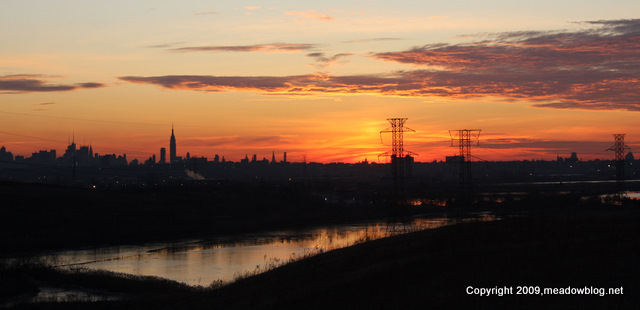
Hackensack Meadowlands Photo Contest was just announced last week to celebrate their 40th anniversary. Cash prizes of up to $300 will be awarded for photographs that best reflect the beauty of this unique area, as seen in its places, people and wildlife. Winners will be announced at the NJMC’s Nov. 23 meeting, and the top entries will be displayed at the NJMC’s Flyway Gallery during December.

full details and entry forms

Learn More – Summer Picture Taking Tips

Historical Posting – Originally published in 2008 – Since this is an archived story – products mentioned may not be available or even made any more – Let us know if you have any questions.

  • Take Your Polarizer To the Beach. If you’re shooting near the water, be sure to take your polarizer and use it. It will enhance your photos, make skies more intense and water less reflective.
  • Keep Away From Sand And Salt. We all love the beach, but the beach does not love our cameras. Be super cautious about allowing salt water spray to get on your camera or setting your camera down on a sandy beach towel. Sand and cameras just do not mix. One way to protect your camera is to carry a zip lock plastic bag. If you have to be near salt water and sand, the plastic bag will provide the protection you need. Never leave a camera closed in a plastic baq for longer than a day as condensation can form inside the bag and damage electronics.
  • Use Your Flash, Even In the Sun. One of the differences between good outdoor pictures and outstanding ones is “fill flash.” Fill flash lets you remove shadows and make your outdoor portraits sharp and crisp.
  • Take Extra Memory Cards. Always have some extra memory cards. Memory prices have fallen dramatically so it no longer costs a fortune to carry extras. Never worry about the frustration of missing a great shots because your card is full.
  • Take Extra Batteries. It never seems to fail that just as you want to take that special shot your camera batteries fail you. Always carry a spare set, or change them before you leave on vacation.
  • Be Security Conscious. Be extra careful with your camera security while on vacation. You’re probably not used to carrying your camera around all the time and it’s easy to leave the camera behind or unprotected in the car. Even worse, there are a bunch of unscrupulous people who mark vacationers for theft of cash, jewelry or any valuables. Staying security conscious while on vacation will protect your valuable investment.
  • Shoot a lot of images. A professional photographer will always tell you that the difference between taking a good picture and a great one is how many times you shoot it. Keep looking for new and different angles. Move around and shoot your subject several times from different distances and under different lighting conditions. Your efforts will pay off with “keepers” that you’ll want to make copies of and hold in your scrap book forever, but you have to shoot more than one!
  • Have Fun. Taking pictures should not be a chore. It should be fun and accompanied by lots of pleasure. If you’re not having fun with your camera, come in to see us at BCC and we’ll make sure you’re using the right equipment for the right conditions.